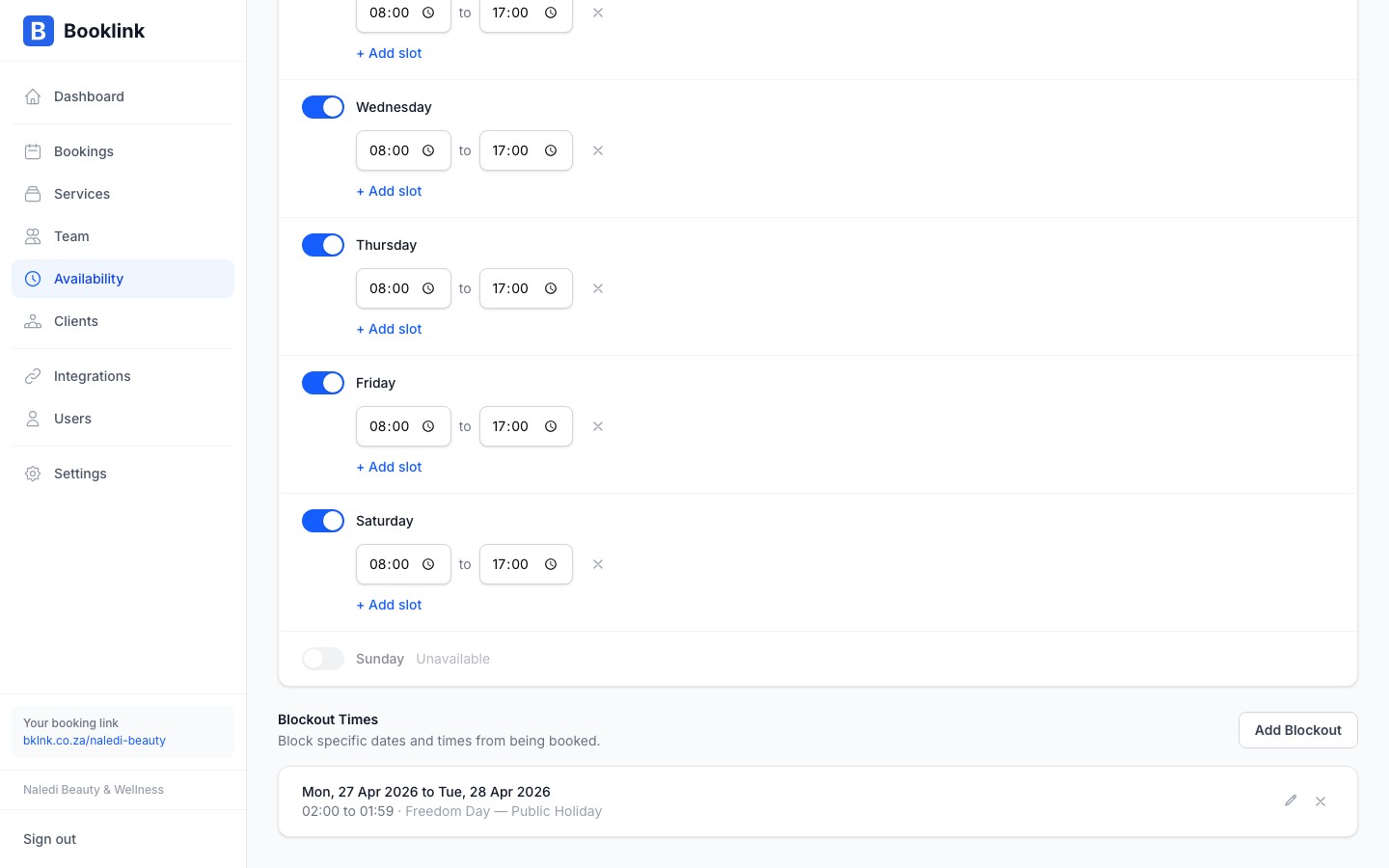
Blockout times let you close off specific dates or date ranges to prevent bookings. Use them for public holidays, staff leave, training days, renovations, or any time your business is closed outside of its normal weekly schedule.
What blockouts do
A blockout overrides your weekly schedule for the dates it covers. Even if your schedule says you work on Mondays from 08:00 to 17:00, a blockout on a Monday means no appointments are available to clients on that day.
Blockouts are useful for:
- Public holidays — South African public holidays like Heritage Day, Workers' Day, or the December holiday period
- Annual leave — Naledi takes the last two weeks of December off every year. A blockout covers this period automatically
- Training or workshops — A full day closed for team training
- Renovations or maintenance — A day or week when your premises are unavailable
- Personal days — Any one-off day you won't be taking appointments
Adding a blockout
- 1
Open the Blockouts section
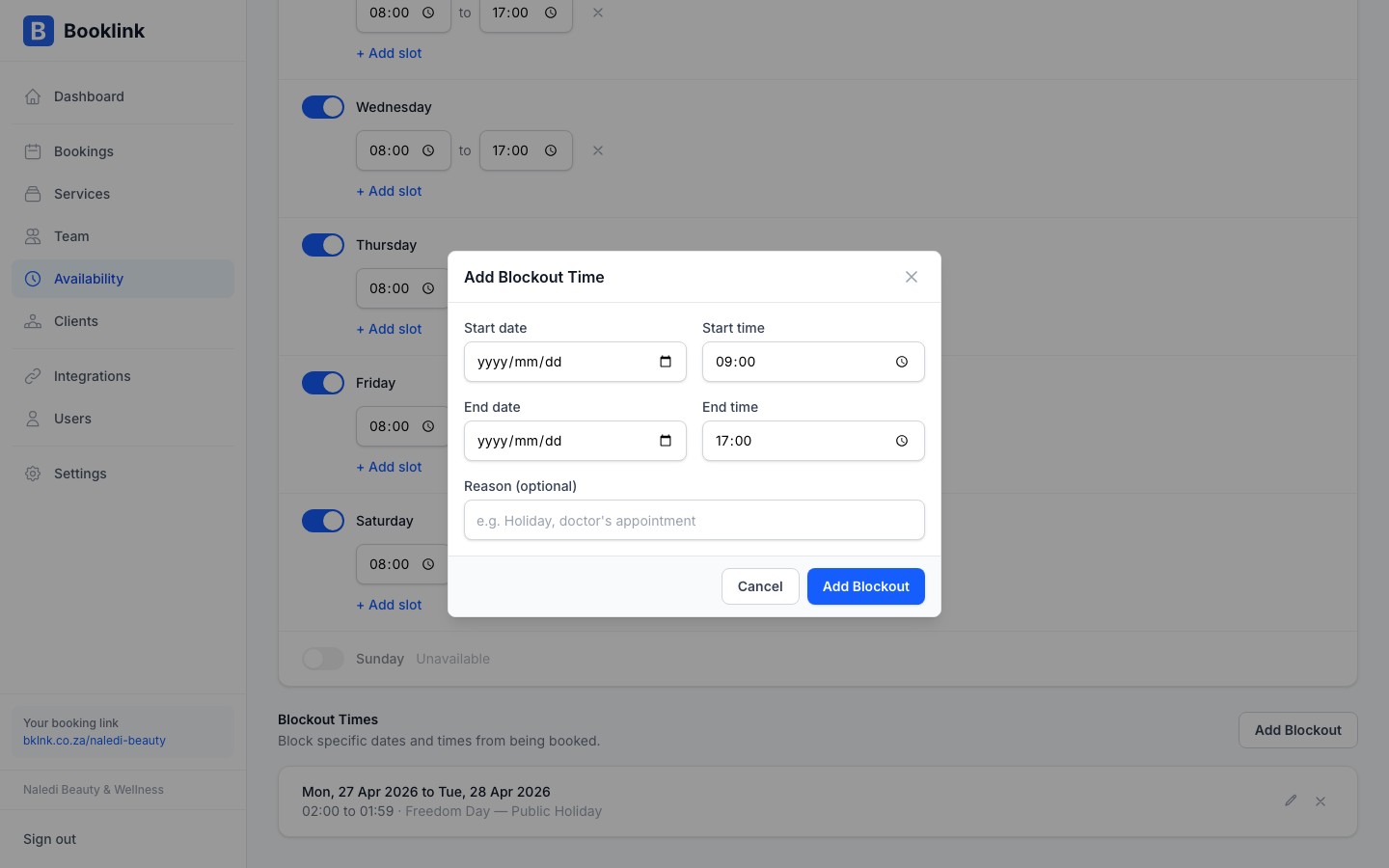
Navigate to Availability and scroll down to — or click the tab for — Blockouts. Click Add blockout.
- 2
Give the blockout a name
Enter a name so you can recognise it later. For example, "Heritage Day", "Naledi Annual Leave", or "Salon Renovation". The name is for your reference only — clients don't see it.
- 3
Set the date range
Enter the start date and end date of the blockout. For a single day (e.g. a public holiday), set both the start and end to the same date. For a period like the December holidays, set the full date range.
- 4
Save the blockout
Click Save. Booklink will immediately stop showing available slots on those dates. Any new client trying to book during the blockout period will see those dates as unavailable.
Important
Adding a blockout does not automatically cancel existing confirmed bookings that fall on those dates. If you're closing on a day that already has appointments, you'll need to cancel those bookings manually and notify the affected clients.Add South African public holidays at the start of the year
At the beginning of each year, add blockouts for all South African public holidays that fall on your working days. This prevents clients from accidentally booking on a public holiday. South African public holidays include: New Year's Day, Human Rights Day, Good Friday, Family Day, Freedom Day, Workers' Day, Youth Day, National Women's Day, Heritage Day, Day of Reconciliation, Christmas Day, and Day of Goodwill.