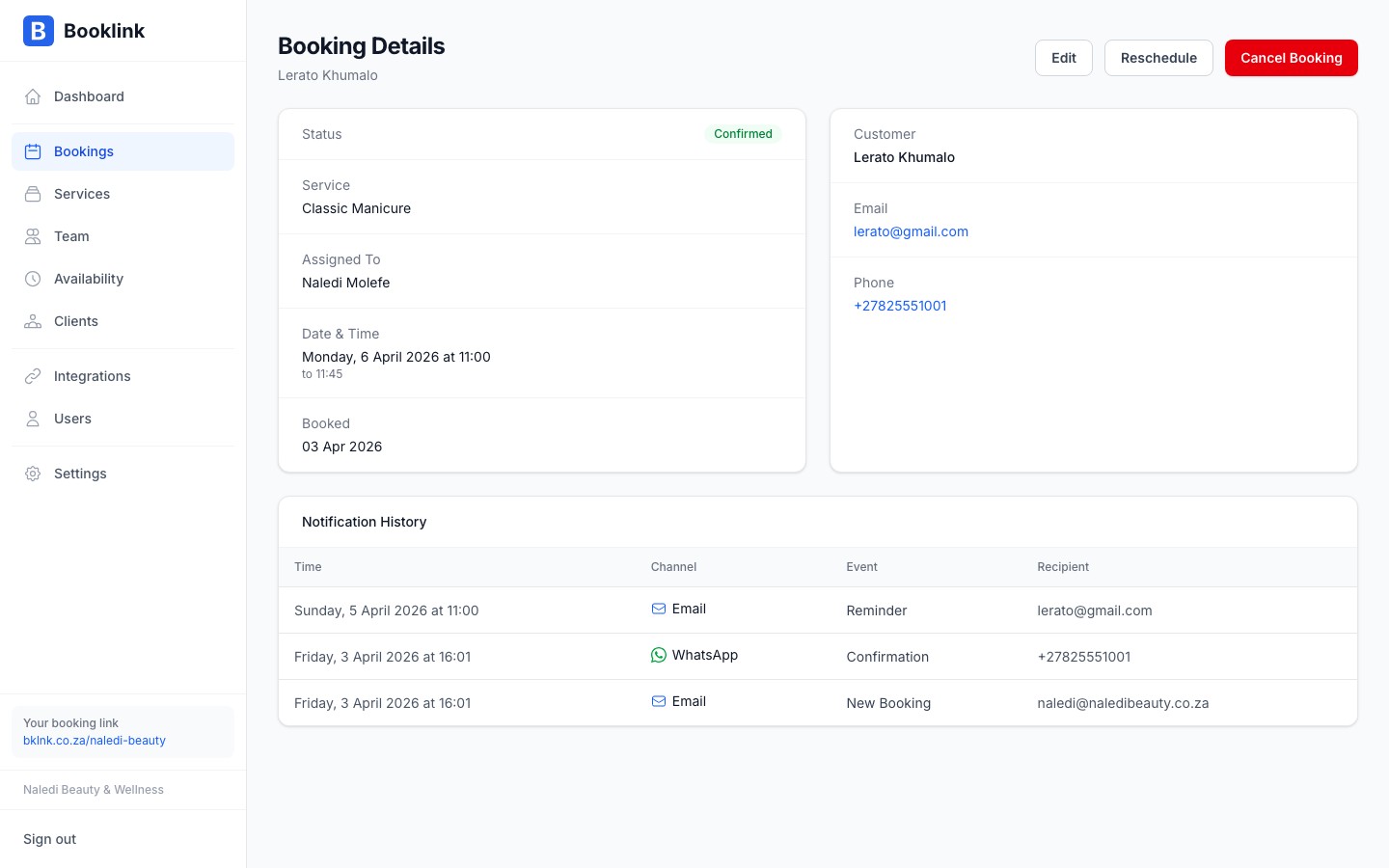
Every email and WhatsApp message sent for a booking is recorded in the notification log. If a client says they did not receive a confirmation, or you want to check whether a reminder was sent, the log gives you a clear record.
Viewing the notification log
Open any booking by clicking it in calendar or list view. Scroll to the bottom of the detail panel to find the Notification log section. Each entry shows:
- The type of notification (booking confirmation, cancellation, reminder)
- The channel used (email or WhatsApp)
- The date and time it was sent
- The delivery status (sent, delivered, or failed)
What gets logged
The following notifications are recorded:
- Booking confirmation — sent to the client when a booking is confirmed (manually or automatically)
- Cancellation notice — sent when a booking is cancelled by you or the client
- Reminder — sent a set number of hours before the appointment (if reminders are enabled in Settings)
- New booking alert — sent to you (the business owner) when a client submits a new booking
Failed notifications
If a notification shows a Failed status, it means the message could not be delivered. Common reasons include:
- An invalid or mistyped email address
- A WhatsApp number that is not registered on WhatsApp
- Insufficient WhatsApp credits at the time of sending
Notifications are not retried automatically. If you need to re-send a confirmation, you will need to do so manually by forwarding the details to the client.
WhatsApp delivery statuses
WhatsApp messages show a more detailed delivery status than email: sent means the message left Booklink, delivered means it reached the client's device. If you see sent but not delivered, the client's phone may have been offline — the message will usually deliver when they reconnect.