Booklink is a simple, low-cost online booking system built for South African solo service providers and small businesses. Whether you run a beauty salon, a tutoring practice, a fitness studio, or any other appointment-based business, Booklink gives your clients a clean, professional way to book with you — without the spreadsheets, back-and-forth messages, or missed calls.
Who is Booklink for?
Booklink is designed for South African service providers who want to accept online bookings without paying for an expensive international platform. It works especially well for:
- Beauty & wellness professionals — hair stylists, nail technicians, massage therapists, estheticians
- Fitness & wellness coaches — personal trainers, yoga instructors, pilates studios
- Tutors & educators — private tutors, music teachers, driving instructors
- Health practitioners — physiotherapists, occupational therapists, dietitians
- Small teams — any business with a small team of service providers who each need their own schedule
All pricing is in South African Rand (ZAR), and the system is optimised for the South African market.
What can Booklink do?
Here is a summary of Booklink's core features:
- Services — Create services with names, descriptions, prices (in Rands), and durations. Control which team members offer each service.
- Online booking — Share a personalised booking link with clients. They choose a service, a team member, a date, and a time slot — no account required.
- Availability — Set weekly schedules with as many time slots as you need. Add blockout times for public holidays, leave, or any other closed periods.
- Team members — Add your staff, assign services to them, and set individual availability. Each team member can optionally log in to manage their own schedule.
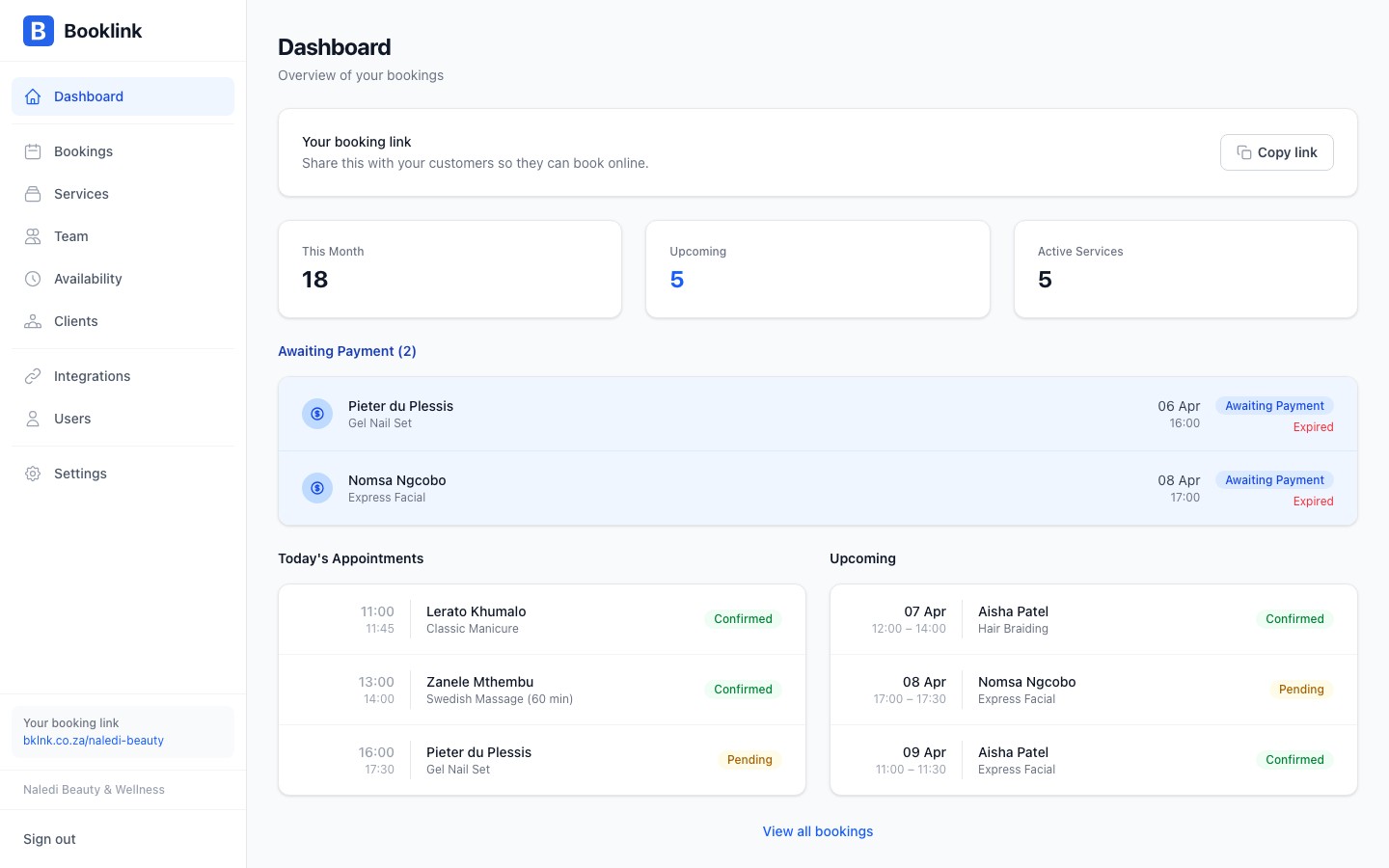
- Booking management — View, confirm, cancel, and track all bookings from a central dashboard. Clients receive email notifications automatically.
- Google Calendar sync — Connect your Google Calendar to automatically block out times when you're busy.
- Booking policies — Set cancellation and rescheduling rules, including deadlines and maximum reschedules allowed.
- Payment required — Optionally require a deposit or full payment before a booking is confirmed.
Start simple
You don't need to configure everything at once. Most businesses are up and running in under 10 minutes by creating one or two services and setting their weekly schedule. You can add team members, booking policies, and payment requirements later.Getting started
Ready to set up your account? Here's the recommended order:
- Create your account at booklink.co.za
- Add your first service (name, price, duration)
- Set your weekly availability
- Share your booking link with clients
The setup checklist on your dashboard will guide you through each step.