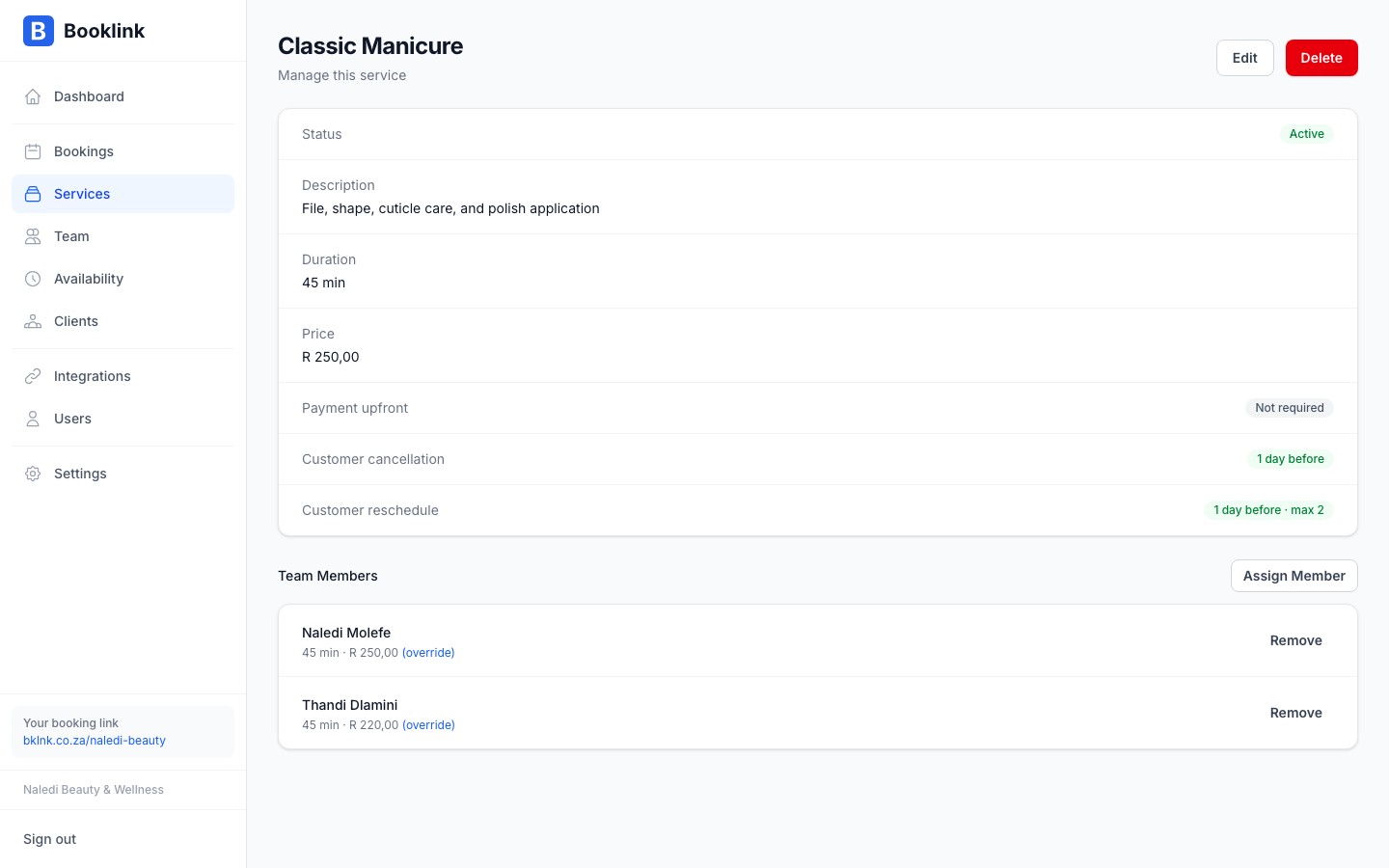
Booking policies give you control over how and when clients can cancel or reschedule their appointments. You can set a deadline (e.g. "must cancel at least 24 hours in advance") and a maximum number of reschedules allowed. Policies are configured per service, so you can have different rules for different offerings.
Cancellation deadline
The cancellation deadline is the minimum amount of notice a client must give to cancel their booking without penalty. It is set in hours.
For example, if you set a 24-hour cancellation deadline:
- A client with a booking at 10:00 on Friday must cancel before 10:00 on Thursday
- If they try to cancel after that cutoff, they are told that the cancellation deadline has passed
Set this to 0 if you want to allow cancellations at any time.
Rescheduling deadline
The rescheduling deadline works the same way as the cancellation deadline, but applies to rescheduling requests. Set it in hours. For example, a value of 48 means clients must reschedule at least 48 hours before their appointment.
Maximum reschedules
You can limit how many times a client can reschedule a single booking. Set max reschedules to a number like 1 or 2, or leave it at 0 for unlimited rescheduling.
This prevents clients from repeatedly moving their appointment and holding a slot in your calendar indefinitely.
Recommended policy for Naledi Beauty
For beauty and wellness services, a 24-hour cancellation deadline and a maximum of 2 reschedules is a reasonable default. This gives clients flexibility while protecting your time from last-minute cancellations.Important
Booking policies are currently informational — they are shown to clients on the booking page and in confirmation emails, but Booklink does not automatically charge cancellation fees. If you require a deposit to discourage no-shows, use the payment required feature instead.