The Services page is where you manage everything clients can book. You can see all your services at a glance, toggle them on or off, and click into any service to edit its details, pricing, booking policy, or team assignments.
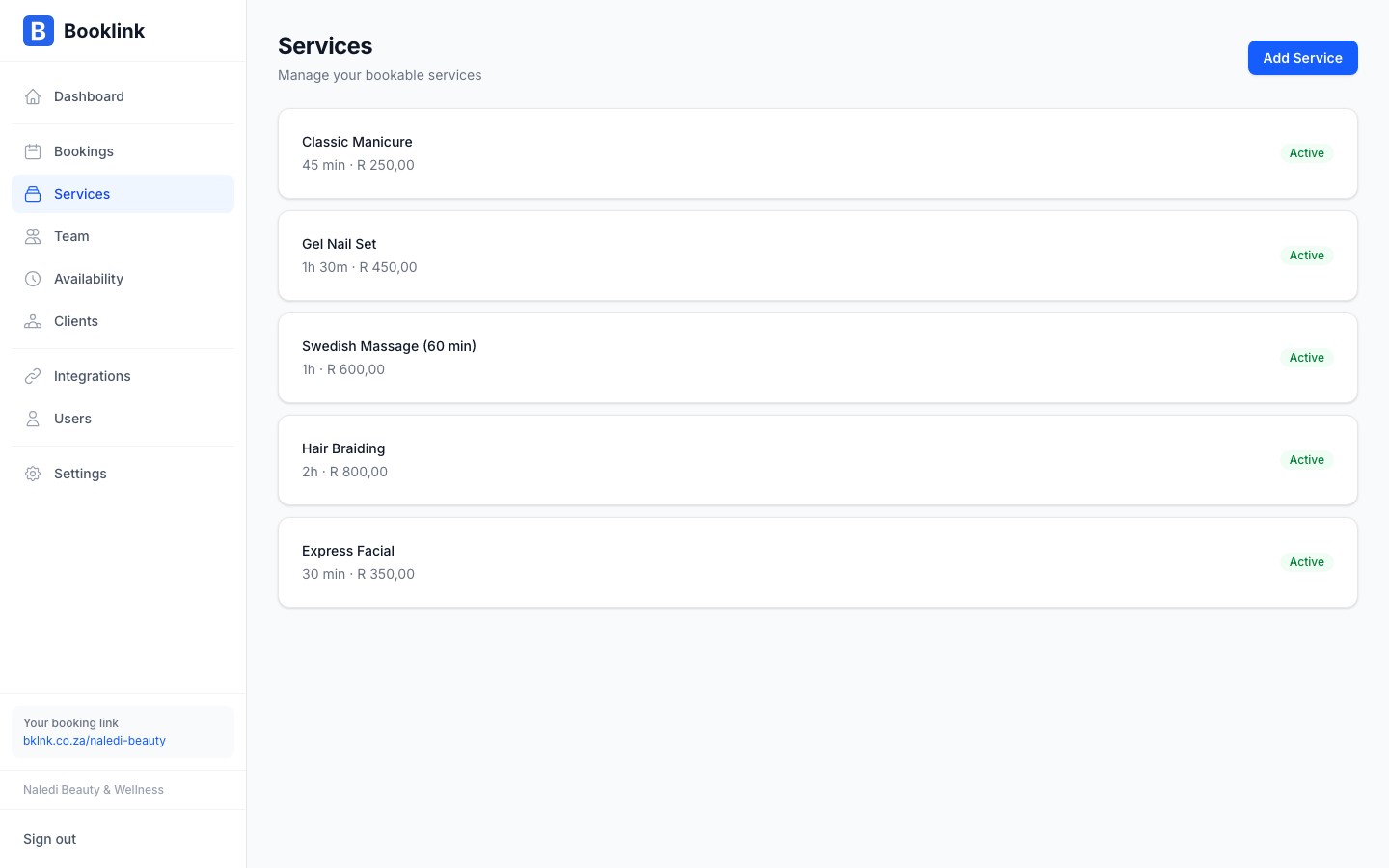
The services list
Each row in the services list shows:
- Service name — The client-facing name of the service
- Duration — How long the appointment takes
- Price — The price in South African Rand
- Active toggle — Whether the service is currently available for booking
Click on any service name to open its detail page, where you can edit all its settings.
Active and inactive services
Each service has an Active toggle. When a service is active, it appears on your public booking page and clients can book it. When it is inactive, it is hidden from your booking page — but it is not deleted, so you can reactivate it at any time.
Use inactive services when you want to temporarily stop taking bookings for a particular offering — for example, if you're on leave and won't be offering that service for a few weeks, or if a service is seasonal.
Deactivate instead of delete
If you stop offering a service, deactivate it rather than deleting it. This preserves the historical booking records associated with that service, which is useful for reporting and reference.Plan limits
The free plan allows a limited number of active services. If you reach that limit, you'll see a notice when trying to add more. Upgrade to a paid plan to unlock unlimited services.