Booking preferences control the rules that govern when clients can make appointments. Getting these right means your schedule works exactly how you expect — no last-minute bookings you are not prepared for, no awkward back-to-back appointments with no break.
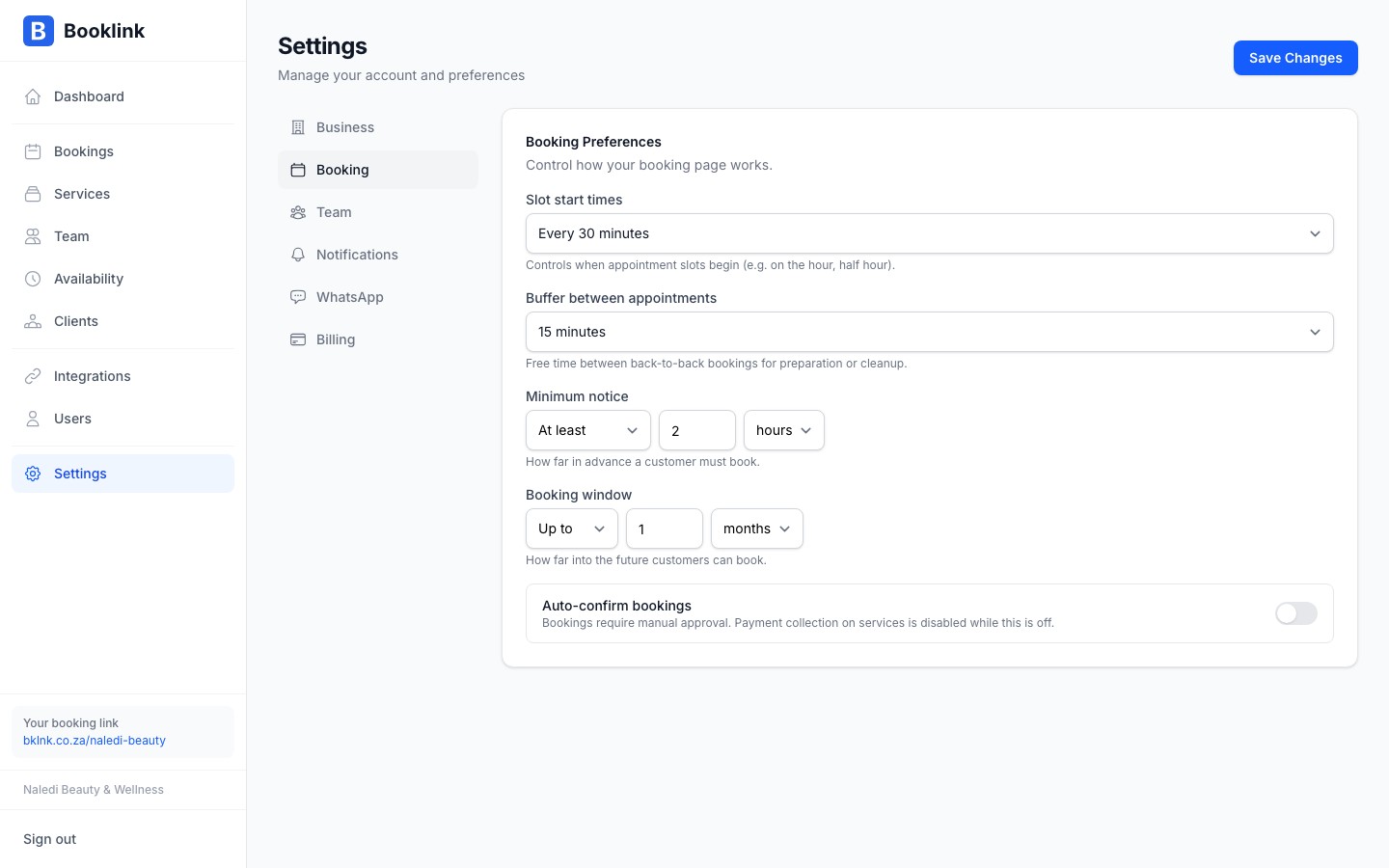
Slot interval
The slot interval determines how often time slots appear on your booking page. For example, a 30-minute interval shows slots at 9:00, 9:30, 10:00, and so on. A 60-minute interval shows slots at 9:00, 10:00, 11:00, etc.
Set this to match your shortest service duration so slots align naturally with your workflow. Most beauty and wellness businesses use 15 or 30 minutes.
Buffer time
The buffer time is a gap automatically added after each booking before the next one can start. For example, with a 15-minute buffer, if a service ends at 10:30 the next available slot starts at 10:45. Use this to allow time to prepare for the next client, clean up, or take a break between appointments.
Minimum notice
Minimum notice is the minimum amount of time that must be between "right now" and a bookable slot. For example, if minimum notice is 2 hours, a client cannot book a slot that starts in less than 2 hours from the current time.
This prevents surprise last-minute bookings when you have not had time to prepare. A setting of 1–4 hours is common for most service businesses.
Maximum advance booking
Maximum advance booking sets how far into the future clients can book. If set to 30 days, clients cannot book appointments more than 30 days from today. This is useful if you prefer to manage your schedule in shorter windows rather than accepting bookings months ahead.
Start with sensible defaults
If you are not sure what to set, try: 30-minute slot interval, 15-minute buffer, 2-hour minimum notice, 60-day maximum advance. You can adjust these at any time and changes take effect immediately for new bookings.